
WordPress
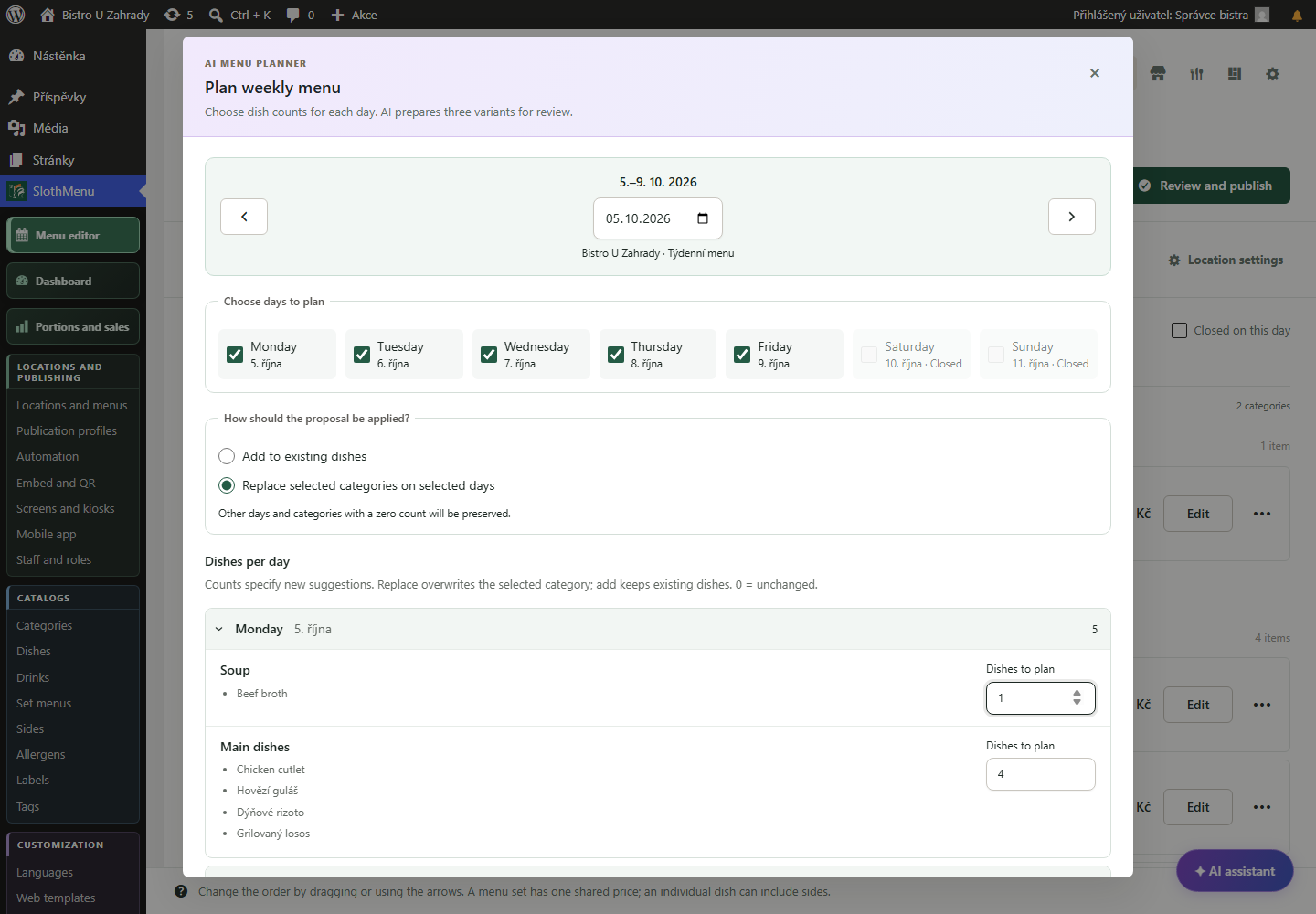
The administrator connects an AI account and assigns staff permissions. They can also plan the week in WordPress.
 Enlarge screenshot
Menu management for your team
SlothMenu Pro gives staff their own workspace. They edit the menus assigned to them without access to the WordPress dashboard.
Split the work: availability for front of house, menu planning for the kitchen.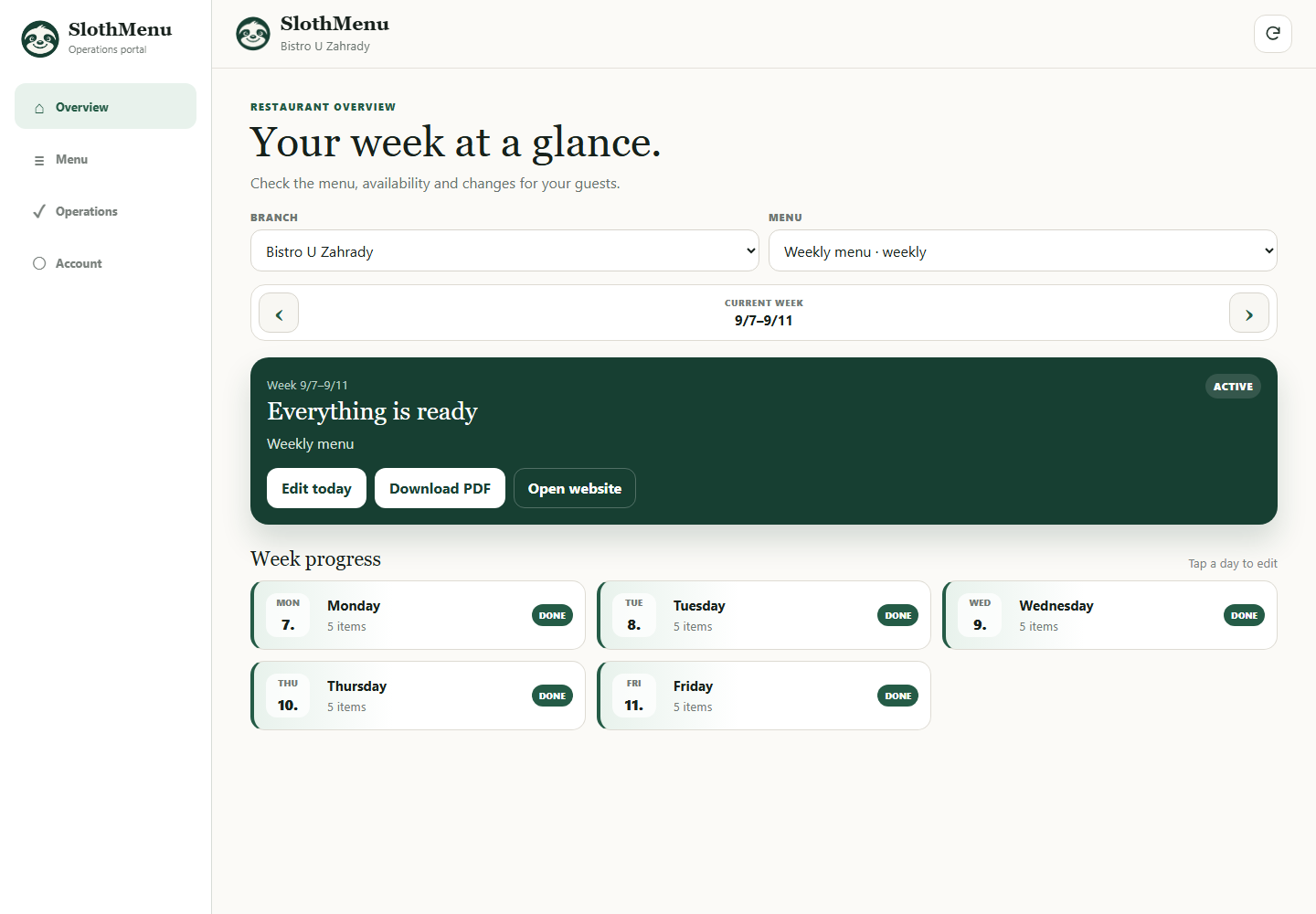
Give each member of staff their own login. There is no need to share one account.
Choose what each person can edit and which locations or menus they can access. Match permissions to their role.
Open the workspace in a browser, or add it to your home screen as a PWA. You need an internet connection to save changes.
PWA · Mobile tools for your team
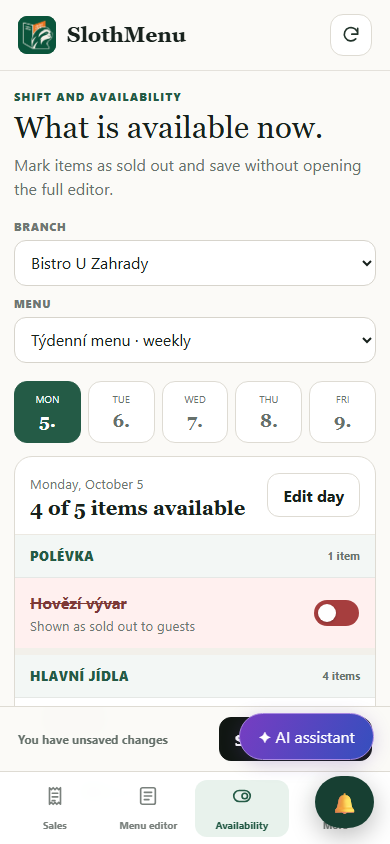
Front of house marks sold-out dishes; a manager prepares next week. In Pro, give them different accounts and permissions.
Allow staff to change availability; give the manager text, price and planning access as needed.
Each person opens only assigned branches and menus. No WordPress admin access is needed.
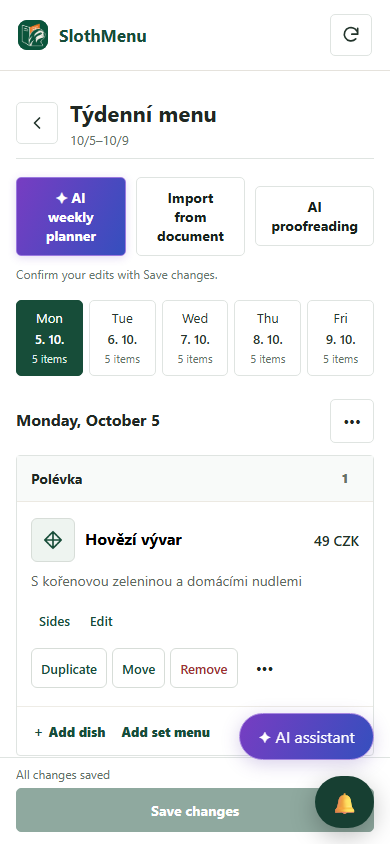
The mobile weekly editor is also in Lite. Pro adds separate staff accounts.
 Enlarge screenshot
 Enlarge screenshot
An actual SlothMenu screen with sample data.
AI · SlothMenu Pro
Assign AI access separately. Staff proposing a week also need the relevant menu permissions.
The administrator connects an AI account and assigns staff permissions. They can also plan the week in WordPress.
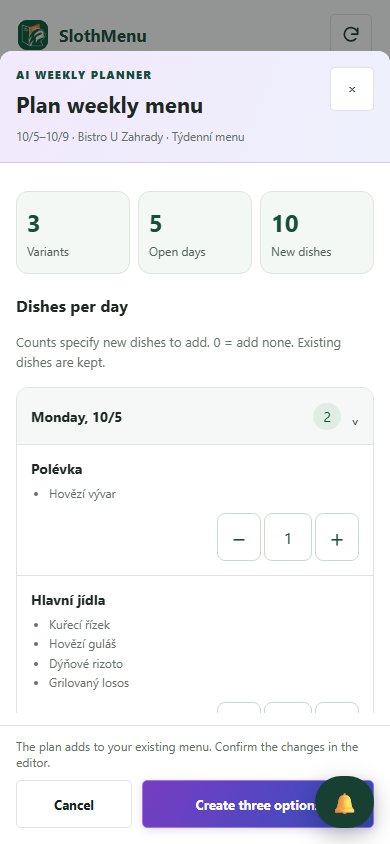
Enlarge screenshotThe authorised colleague enters counts, chooses a proposal and confirms changes. Other staff can keep availability-only access.
 Enlarge screenshot
Requires your own API key; the provider bills usage separately. AI uses your own API key; review the draft before saving.
An actual SlothMenu screen with sample data.
The employee uses their own environment and login, not the WordPress administration. The data and published offer are still part of your website.
A connection is required to load current data and save changes. Adding an app to your desktop doesn't make it an offline editor.
Check the available release and its requirements before installing. Screenshots contain demonstration data. Compatibility
Start with the free planner, or choose the plugin for your WordPress website.