
WordPress
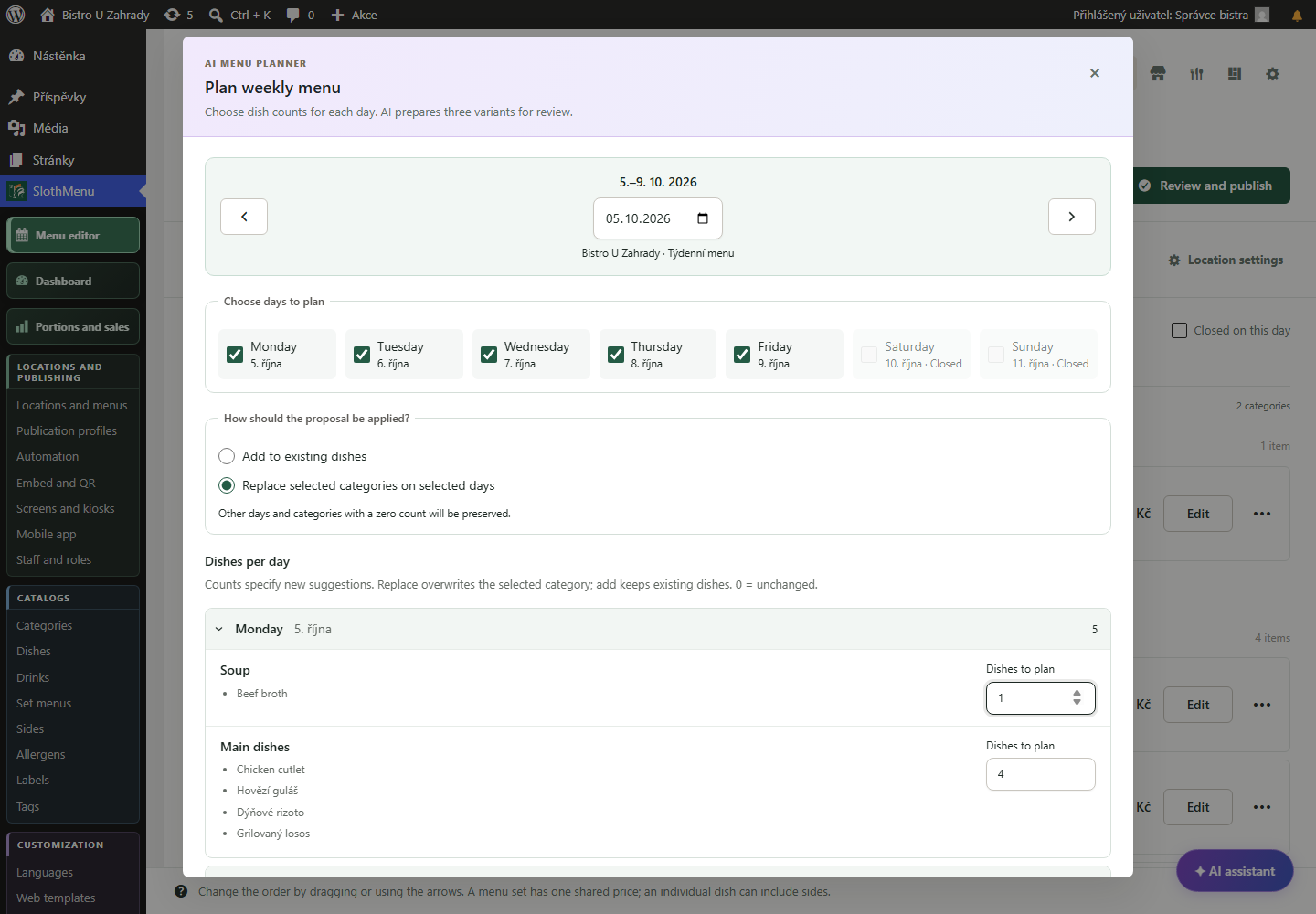
Open the AI planner, enter counts and choose an option. Edit it before confirming.
 Enlarge screenshot
Restaurant menu editor
Edit dishes, prices and the look of your menu in one place. Prepare weekly menus, and use Pro to manage your regular menu and custom templates too.
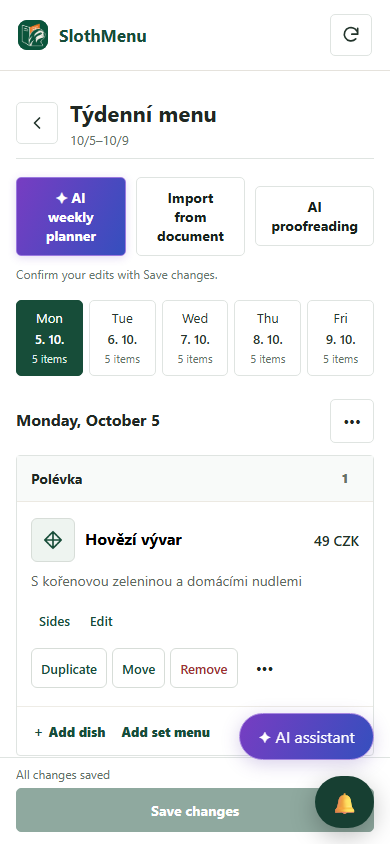
Staff can make small corrections from their phones.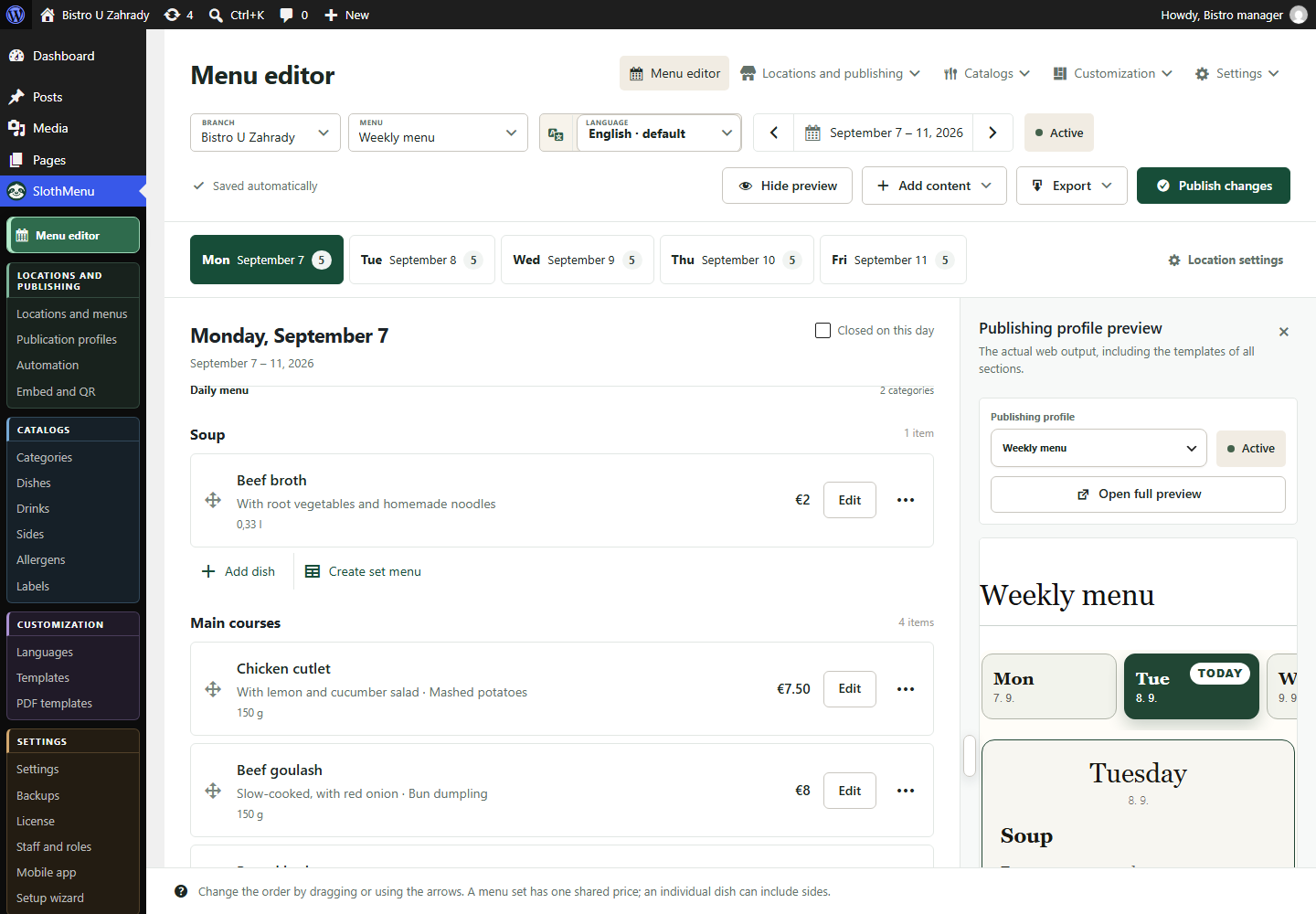
Enter dish names, descriptions, sides and prices. Lite provides a weekly editor; Pro adds regular menus, drinks and a catalogue for reusing dishes.
Watch the menu layout as you work. Check long names, prices and the mobile view before showing the changes to guests.
Start with one of Lite’s three responsive templates. With Pro, edit custom templates in the visual editor and use separate design libraries for your website and PDF exports.
PWA · Mobile tools for your team
There is a typo or a price has changed. Staff open their assigned menu in the PWA and edit only permitted fields.
Edit the name, description or price and confirm in the mobile editor.
In Pro, give each person an account and permissions. Menu editing does not require access to the whole website.
The mobile weekly editor is also in Lite. Pro adds separate staff accounts.
 Enlarge screenshot
An actual SlothMenu screen with sample data.
AI · SlothMenu Pro
No need to fill the editor dish by dish. AI proposes a week from your catalogue; you still decide the final menu.
Open the AI planner, enter counts and choose an option. Edit it before confirming.
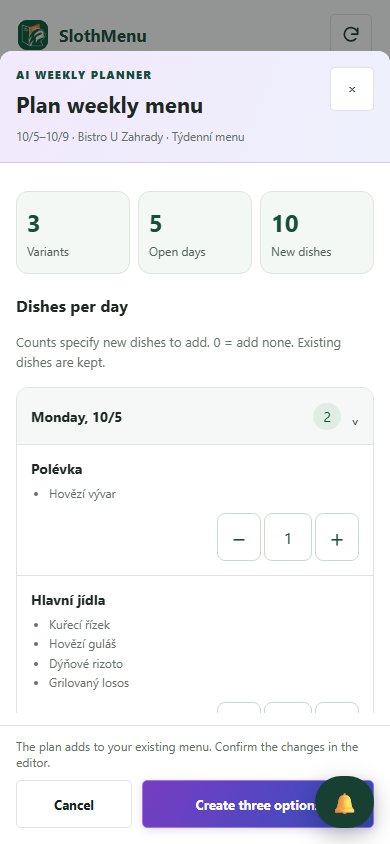
Enlarge screenshotAdd the proposal to your draft from a phone and review it. Saving requires internet and the right permissions.
 Enlarge screenshot
Requires your own API key; the provider bills usage separately. AI uses your own API key; review the draft before saving.
An actual SlothMenu screen with sample data.
SlothMenu manages your restaurant’s dishes, drinks, prices and how they appear. It does not edit WordPress navigation menus.
Yes, with Pro. You can edit and transfer custom website and PDF templates. Check their layout on mobile and in the print output before using them.
With Pro, give staff their own accounts and permissions for assigned menus. They work from a computer or phone without access to the full WordPress administration.
Check the available release and its requirements before installing. Screenshots contain demonstration data. Compatibility
Start with the free planner, or choose the plugin for your WordPress website.