
WordPress
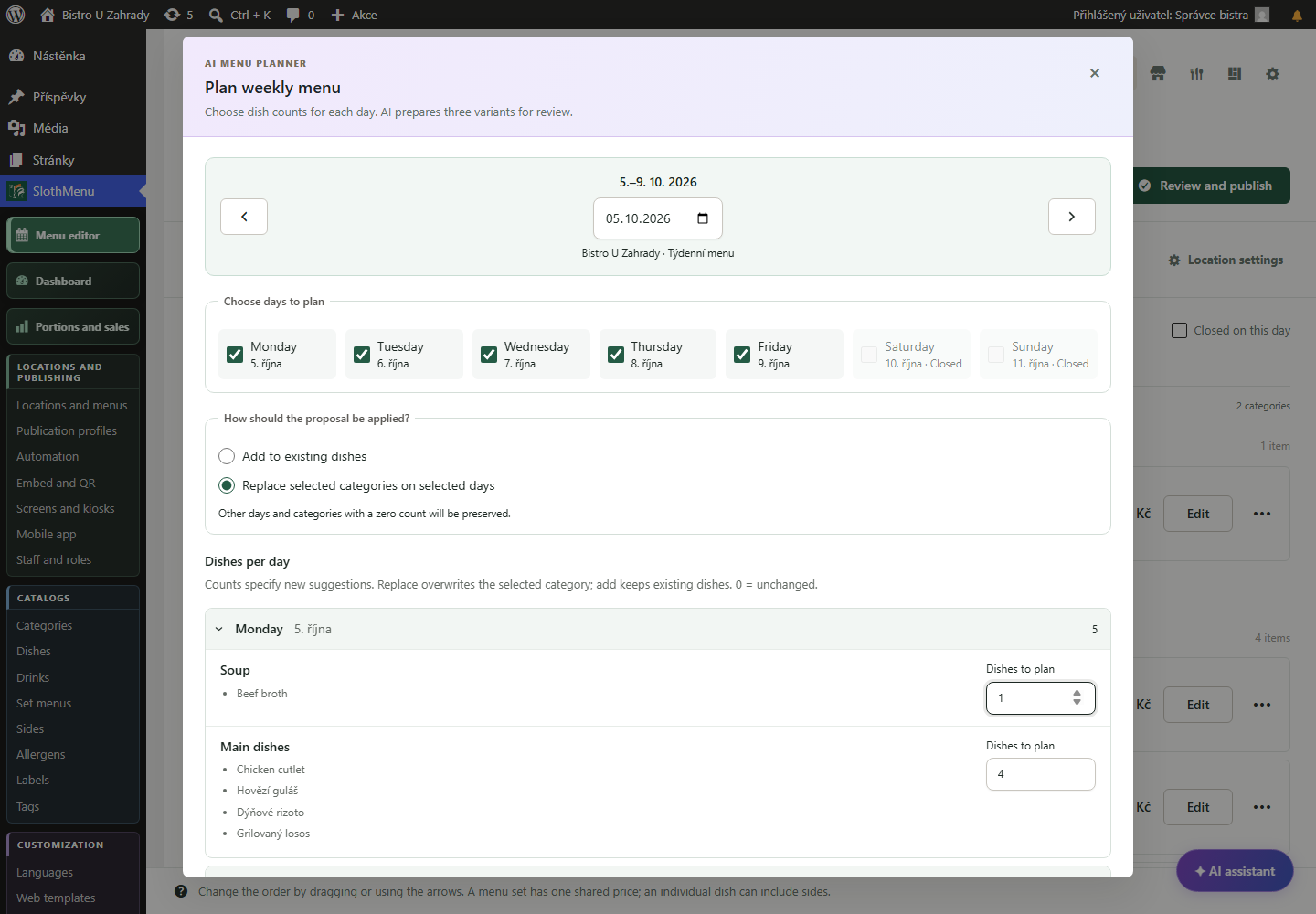
Get a weekly proposal from your catalogue. Check prices, allergens and the public preview before confirming.
 Enlarge screenshot
Online restaurant menu on your own website
Guests open your current menu on their phones, from a link or a QR code. Manage dishes and prices in your own WordPress, with the menu on your own website.
Last portion gone? Mark it sold out from your phone.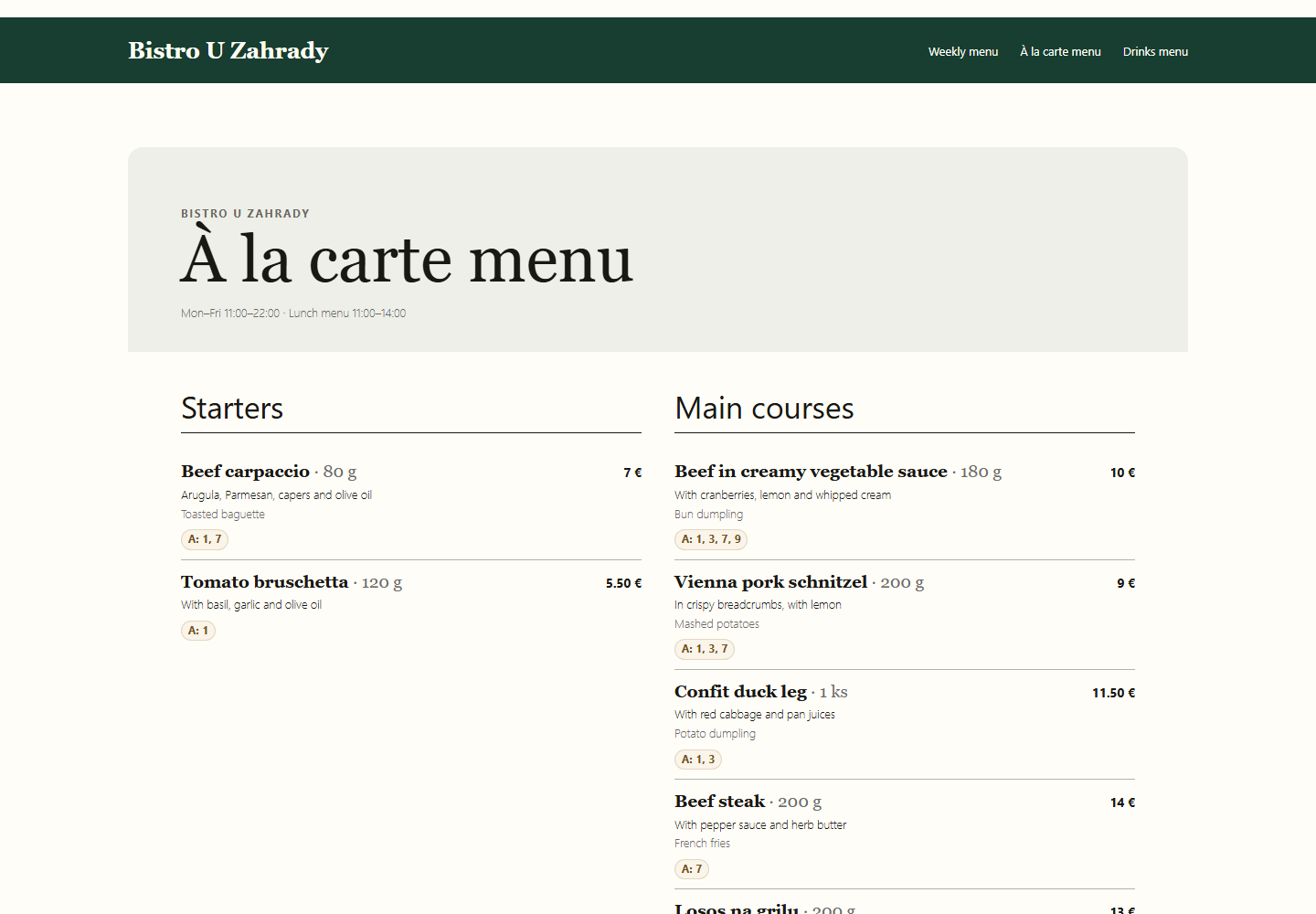
Use SlothMenu’s public page or embed the menu with a Gutenberg block, Elementor widget or shortcode. Lite displays weekly menus; Pro also handles regular menus and drinks.
Link to the public menu page from your website and use its QR code on tables or in the window. Guests browse the menu without installing an app.
Save changes in the plugin and check the public menu. Mark sold-out dishes in availability; with Pro, staff can manage assigned menus from their phones too.
PWA · Mobile tools for your team
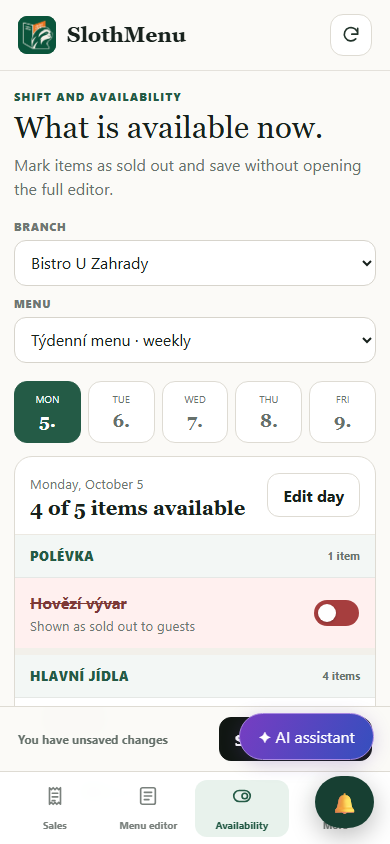
Guests are still browsing the online menu, but a dish has run out. Staff mark it sold out directly in the PWA.
Change availability, save it and check what guests see on the public page.
In Pro, let staff change availability without permission to edit prices or menu content.
 Enlarge screenshot
An actual SlothMenu screen with sample data.
AI · SlothMenu Pro
Online menus need current content. AI helps plan next week; it does not automatically publish the menu.
Get a weekly proposal from your catalogue. Check prices, allergens and the public preview before confirming.
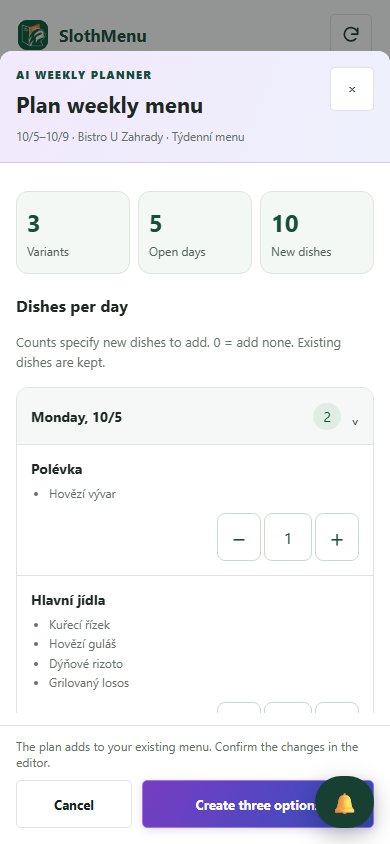
Enlarge screenshotPrepare the next week while working in the restaurant. Review the proposal and confirm changes in the editor.
 Enlarge screenshot
Requires your own API key; the provider bills usage separately. AI uses your own API key; review the draft before saving.
An actual SlothMenu screen with sample data.
No. They open the public menu in a standard browser. The staff workspace is for managing menus, not a requirement for reading them.
When you edit the same public page, you keep its existing URL. If you rename the page or change its address, check and replace links and QR codes as needed.
The plugin requires WordPress. The free standalone planner creates PDFs without installation, but does not publish a live menu on another website. We can help with a new WordPress website as a separate service.
Check the available release and its requirements before installing. Screenshots contain demonstration data. Compatibility
Start with the free planner, or choose the plugin for your WordPress website.